
Chords Bass
Hear it
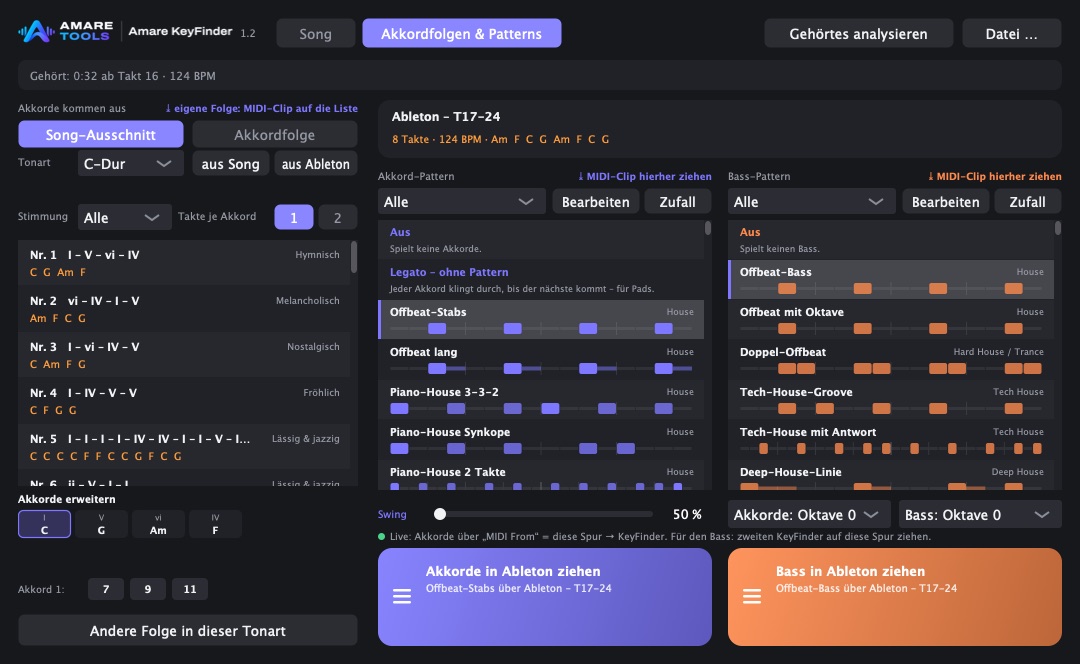
Pick a progression, a way to play the chords and a bass line. These are KeyFinder’s own progressions and patterns, the same notes as in the plugin.
Progression
Chords
Bass
Here a simple browser synth plays. In Live, your own instruments do.
What it does
Key and chords, bar by bar
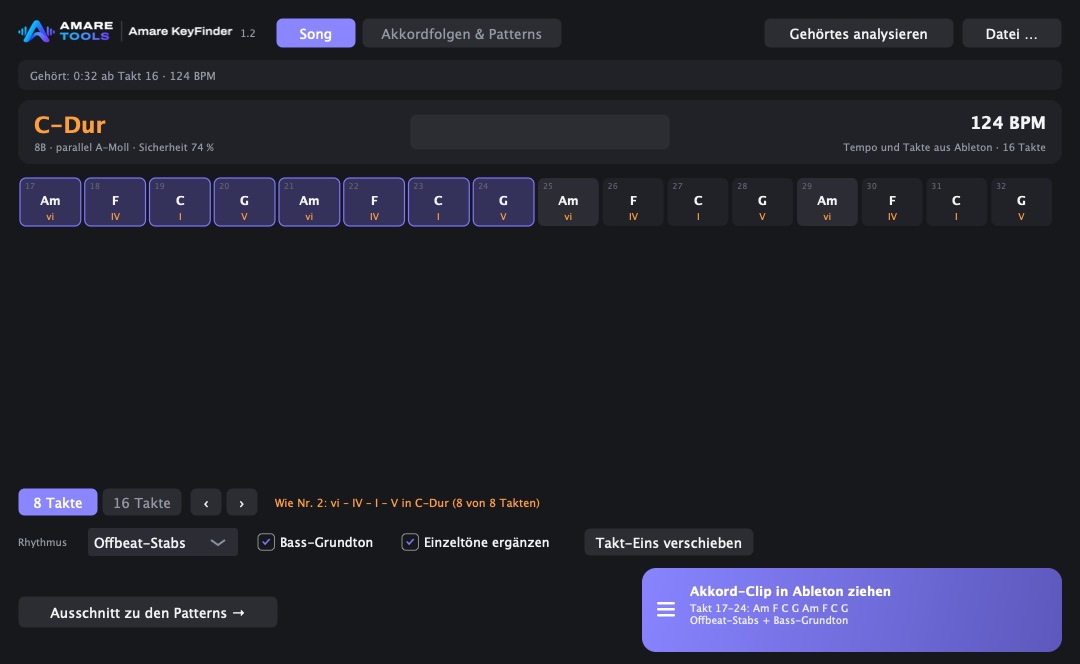
Put it on a track and press play. KeyFinder listens with Live’s own bars and tempo, then shows the key with its Camelot number, how sure it is, and the chord of every bar.
Drag the chords into Live
Pick 8 or 16 bars and drag them out as a chord clip, with a rhythm and the bass root if you want them.
39 progressions, 316 patterns
Start from a known progression in any key, add sevenths, ninths or elevenths per chord, and lay one of 170 chord or 146 bass patterns over it.
Your own clips stay
Drop a MIDI clip on a list and it is saved under “Own” for every set. Any pattern can be edited on a 16th grid while you hear it.

How it works
-
Play
Put KeyFinder on the track and let the song run, or drop in an audio file.
-
Read
Key, tempo and the chord of every bar appear.
-
Shape
Choose the bars, a rhythm and the bass, or a progression and a pattern.
-
Drag
Drag the result into Live as a MIDI clip.
Good questions
Does it work without Ableton?
Yes. The Mac app listens to whatever your Mac plays, or analyses an audio file you drop on it.
How sure is the key?
KeyFinder shows how sure it is in percent and names the relative key next to it, so you decide.
What does it cost, and when?
Price and date are not set yet. The tools are in development. Join the waiting list to hear both first.